See Wrike in Action at the Office 2.0 Conference

Published by Andrew Filev   |  Monday, 25 August, 2008
We will be presenting at Office 2.0 Launchpad. It is a good chance to show Wrike in action, discuss my approach to PM 2.0, and hear the feedback. Once again, let me invite you to the conference, it should be very interesting and dynamic.

By the way, if you did not know - if all goes according to the plan, all conference attendees should get a nice gadget as a gift.
Category:
Tags: ,
  • Email to a friend
  • reddit
  • StumbleUpon
  • Digg
  • myspace
  • facebook
  • del_ico_us

Project Management 2.0 Approach Presented at the UTD Project Management Symposium

Published by Daria   |  Wednesday, 20 August, 2008
Wrike’s founder, Andrew Filev, spoke at the 2nd Annual University of Texas at Dallas (UTD) Project Management Symposium. The two-day event took place on August 18-19 and was attended by approximately 200 executives, project management professionals, speakers and volunteers – representatives of the nation’s most dynamic organizations. Besides UTD the symposium organizers included PM Forum, an authoritative resource for project management information and knowledge, and Project Management Institute (PMI), the leading membership association for the project management profession.

Topics included project management issues facing organizations from diverse industries, governance problems, emerging trends in project management, questions around managing global teams, new product development and more. 

Andrew gave a presentation about the innovative approach to project management that he advocates in his professional blog. According to Andrew the new approach, called Project Management 2.0 represents the evolution of traditional project management brought by the influence of Enterprise 2.0 technologies. You can find out more about Project Management 2.0 by reading Andrew’s article – “Project Management 2.0:  The Ultimate Benefits of the New Approach to Project Management” and by digging though his posts in the Project Management 2.0 blog.

Category: ,
Tags: ,
  • Email to a friend
  • reddit
  • StumbleUpon
  • Digg
  • myspace
  • facebook
  • del_ico_us

Wrike is at the Office 2.0 Conference Once Again!

Published by Daria   |  Thursday, 14 August, 2008
Wrike’s CEO and founder Andrew Filev will be speaking at the Office 2.0 Conference for the second time. The conference will be held in San Francisco on September 3-5, 2008. The event gathers the most influential business and technology thinkers, who discuss the future of online productivity and collaboration, and share their ideas on the implementation of the Office 2.0 technologies in different business spheres.

The conference is always a refreshing experience for those who are open to new ways of making a business more productive. Here is the perfect place for you to learn about new, emerging organizing principles and how to create a strategy around them for your company.

There is a terrific set of speakers, including keynotes from David Allen, the creator of the popular Getting Things Done methodology; Dr. Sukh Grewal, manager of GE’s support central, collaboration environment; Oliver Marks, an  expert in effective planning of Enterprise 2.0 strategy; Robert Scoble, the famous technology blogger, and many others. Wrike’s founder will be one of the participants in the Project Management 2.0 panel there. He will present his ideas on innovations brought by the Enterprise 2.0 technologies to project management. You can also read Andrew’s thoughts about Project Management 2.0 in his professional blog.
Category: ,
Tags: , ,
  • Email to a friend
  • reddit
  • StumbleUpon
  • Digg
  • myspace
  • facebook
  • del_ico_us

Increase your productivity with RSS

Published by Daria   |  Monday, 11 August, 2008
First of all, what is RSS? It is an abbreviation that stands for Really Simple Syndication — a format for delivering regularly changing Web content. Many news-related sites, blogs and other online publishers syndicate their content’s updates in the form of RSS feeds to help you keep track of newly published information.

How does RSS help you to be more productive?

The benefit of RSS is the aggregation of content from multiple online sources in one place. RSS makes life easier for people who regularly use the Web. You easily stay informed by receiving the latest content from the sites you are interested in. You keep your privacy because, with RSS, you don’t have to subscribe to each site's e-mail newsletter. You save a lot of time because you do not need to visit each of your favorite sites individually.

How can you save time following your project’s progress with Wrike’s RSS feature?

You can use Wrike’s RSS feeds with Wrike’s e-mail to-do lists or instead of them, if you find it more convenient.  Wrike’s RSS feature is a perfect complement to on-site update notifications that you see in the upper left-hand corner of your workspace. RSS might be especially helpful when you are out of the office because you will still get relevant and up-to-date information about your team’s progress for you to read in your own time.  This information will be available with your smart phone, BlackBerry, iPhone or other mobile device.

How can I use RSS?

You need to have special software called an "RSS reader." It can be either Web-based or desktop-based. There’s a handy list of RSS readers in Wikipedia. Google Reader or Bloglines are very popular. Besides, you may already have one in your browser, if you use Fire Fox, Internet Explorer 7 or Safari.

To get updates from people you are collaborating with via RSS, you just need to click on the blue RSS icon in the upper right-hand corner of your workspace.


This will allow you to stay in the loop without having to stay logged on to wrike.com all the time. All the messages will be chronologically listed in your RSS reader. When new information is added to a task, you get an update with a link to the renewed task instantly.

With little helpers, like Wrike’s RSS feeds, you become more productive and manage your projects more efficiently.

Category: , , ,
Tags:
  • Email to a friend
  • reddit
  • StumbleUpon
  • Digg
  • myspace
  • facebook
  • del_ico_us

Share Microsoft Project File Online

Published by Daria   |  Tuesday, 05 August, 2008
If you ever have tried to use Microsoft Project, you know that it’s not very easy to share a Microsoft Project file with your team. You need to purchase and install Microsoft Project Server and a bunch of other applications, such as Microsoft Office Project Web Access. On average, the ability to share your plans will cost you between $4,998 and $85,892, plus a lot of your time and patience.

The good news is now you can share a Microsoft Project file with your team in minutes, and it will cost you only $ 11.99 per team member (with a year-to-year subscription)! Wrike’s new Enterprise version makes sharing Microsoft Project Gantt charts incredibly easy.

Signing up for a Wrike account takes a just few minutes, but it will save hours of your team’s precious working time. If you already have a Wrike account, it will be even easier to upgrade. With the new enterprise version, you can just upload your existing Microsoft Project file to Wrike. To do so click on the “MS Project” icon in the upper right hand corner of your workspace. 


Your file will be converted into a Dynamic TimelineTM that any member of your team can access and change. You can work on your Microsoft Project file together with your team online. The timeline will reflect all the tasks’ dates and dependencies. This feature makes the transfer to Wrike’s online project management software painless for you and millions of other Microsoft Project users.


Category: , ,
  • Email to a friend
  • reddit
  • StumbleUpon
  • Digg
  • myspace
  • facebook
  • del_ico_us

Build Task Dependencies to Schedule Projects

Published by Valerie   |  Monday, 04 August, 2008
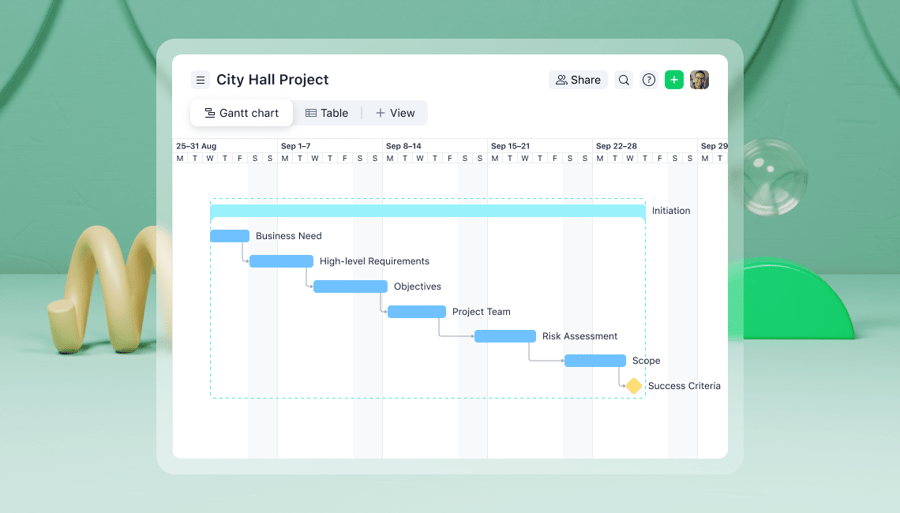
Wrike’s users benefit from the timeline feature that allows them to plan projects and reschedule tasks with drag-and-drop support. You can drag the task bar on the chart to change the task duration, start date or end date. Once any change is made, your team members are instantly notified about it via e-mail, RSS or iCal feed.

Task dependencies, an important project management feature, have been launched this week. Wrike automatically links tasks so that a rescheduling of a top task cascades down to its dependent tasks, immediately displaying the downstream effects on the entire project. This results in a far more accurate and maintainable project plan.  Watch a demo of task dependencies in action.


How task dependencies work.
  • Log into your Wrike workspace.
  • Switch to the Timeline tab.
  • Expand folders if necessary.
  • Point the cursor over the top right corner of the task bar. A small triangle appears.
  • Create a dependency using the drag-and-drop support. Click on the triangle and drag the line to the dependent task.
  • If you are a Wrike user and you don’t have an enterprise subscription, Wrike gives you an option to upgrade to an enterprise subscription.

Task dependencies are available to you with an enterprise subscription. We welcome you to upgrade your account and instantly benefit from task dependencies.

If you are keeping your plans in Microsoft Project and Microsoft Excel, it is very easy to start using Wrike. You can simply import your MS Project files to Wrike, share them with your colleagues and work on the plans together, anytime and anywhere. Sign up for Wrike now and get a 30-day free trial.


Category: , , ,
  • Email to a friend
  • reddit
  • StumbleUpon
  • Digg
  • myspace
  • facebook
  • del_ico_us

Wrike Has Released the Enterprise Version

Published by Valerie   |  Monday, 04 August, 2008
We can’t wait to share the great news with you! We put a lot of effort into delivering several of the most frequently requested features. So now your project management will get an even more powerful boost. The new features come with our brand new enterprise version, which was released today.

We say that the enterprise version “offers you everything you need to manage your business,” and that is true. With the new version, you get a platform for collaboration, task management, task revisions history, reporting across multiple projects, time-tracking and Gantt Charts with task dependencies. The task dependencies feature was virtually the most desired by our users. We are happy to tell you that now you can link tasks and build project schedules even more accurately with the help of this feature. Your organization can get full-featured enterprise project management software for only $14.99 per user per month. Signing up takes just a few minutes, and an upgrade even takes less than that!

If you are used to Microsoft Project Gantt charts with task dependencies, there is now a simple and handy way to share your tasks online and work on them together with your team. Wrike’s new version allows you to easily import Microsoft Project files. Your transfer from Microsoft Project to Wrike will be painless.

We welcome you to sign up for Wrike or upgrade your account to the enterprise version now.


Category:
  • Email to a friend
  • reddit
  • StumbleUpon
  • Digg
  • myspace
  • facebook
  • del_ico_us

Wrike Enterprise Version – Coming Soon!

Published by Daria   |  Sunday, 13 July, 2008
Wrike users are a great source of inspiration for us. We always welcome customers’ feedback, as it is always very helpful and highly motivating. Many of you, our customers, contact us with feature requests. The features that received the maximum number of votes will be included in the release of our Enterprise version. We are extremely excited about this new release, which will be launched pretty soon.

What to expect from Wrike’s Enterprise Version? To keep you in suspense, we will not unveil the upcoming features. We’ll just say that that, with the new version, you will be able to  enhance your planning, streamline your project final date estimation, facilitate rescheduling and more!

As a part of this new release, we’re also working on expanding Wrike’s integration capabilities, so that it could fit into your existing processes more effectively.

We encourage each of you to continue providing us with feedback, suggestions and comments about the product. Don’t forget that you have several ways to do that! Use Wrike Forums to share your ideas and thoughts with the Wrike community, leave comments in this blog or contact us directly.

For now, the exact date of the new release will be not announced, so stay tuned!

Be the first to know when it happens! Subscribe to our RSS feed.


Category: ,
  • Email to a friend
  • reddit
  • StumbleUpon
  • Digg
  • myspace
  • facebook
  • del_ico_us

Project Management Software to Cope with Problems at Work

Published by Daria   |  Tuesday, 08 July, 2008
We can't help sharing how some of our users are enthusiastic about our project management software.

James Wilson, a producer from VegasBuzzz.com, made a great video, telling how Wrike helps him to run his online news business.

The video was submitted to be a part of an intriguing Business@Work project started by Business Week. The project is in fact a discussion of how Business Week readers try to cope with problems they face at work. James suggested Wrike as an excellent solution for managing your time and boosting productivity.


Thank you, James! We appreciate your recognition. You and many of our other customers give us inspiration for making Wrike the most practical project management software.

Let us know if there are examples of Wrike customers being enthusiastic about our project management tool, and we will write about them in this blog.


Category:
  • Email to a friend
  • reddit
  • StumbleUpon
  • Digg
  • myspace
  • facebook
  • del_ico_us

The Dashboard Has Become More Descriptive and Convenient

Published by Valerie   |  Thursday, 03 July, 2008
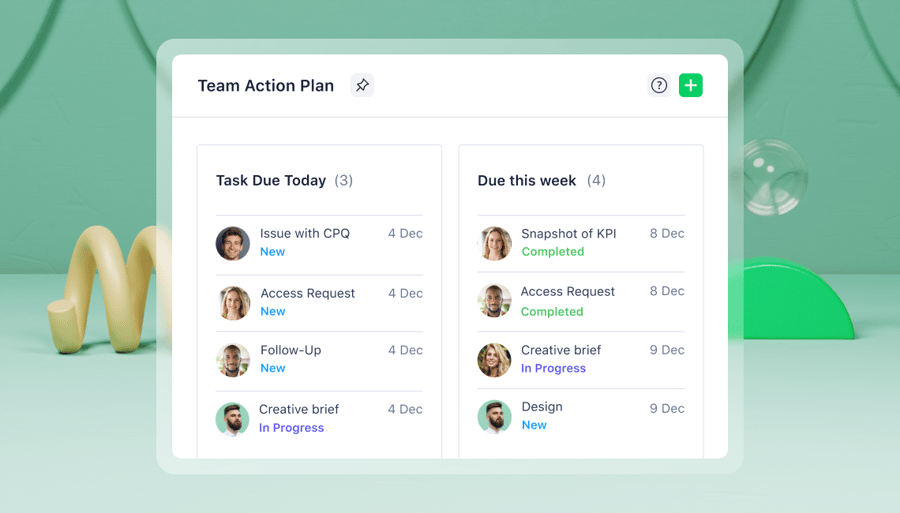
We recently improved the dashboard interface, so it allows you manage your tasks easier and faster. The dashboard displays the tasks assigned to you that are overdue or due within a week.

So you can easily decide what task to tackle first, the dashboard contains the information regarding the task priority, due date or how many days it is overdue. Additionally, parent folders are shown near each task, so you can quickly get the context of the task.

The dashboard allows you to manage tasks the following ways:

1) Mark the task as completed by clicking on the check box on the left of the task name.


2) Reschedule the task by clicking on the pencil icon. Once the changes are made, hit the “Save” button.


3) Delete the task by clicking the recycle bin icon on the left of the task name.

4) View other task details, such as description, attachments, etc., by clicking on the task title.
Category: , ,
  • Email to a friend
  • reddit
  • StumbleUpon
  • Digg
  • myspace
  • facebook
  • del_ico_us
Older posts